Du Wi-Fi dans les villes, des zones blanches à l’Everest, des applications bloquées et des règles sur les cartes SIM : voici un guide réaliste pour rester connecté (et savoir quand vous ne le serez pas) en voyageant au Tibet.
Réponse rapide : Le WiFi est fiable dans les hôtels de Lhassa et correct dans les bourgades importantes, puis se raréfie vite sur les itinéraires isolés. La couverture mobile suit le même schéma. Plusieurs applications et services occidentaux courants ne sont pas joignables sur les réseaux chinois : tout ce dont vous dépendez doit donc être configuré avant le départ, et non à l'atterrissage, quand les outils permettant d'y remédier peuvent eux-mêmes être inaccessibles.
Rester connecté au Tibet est plus facile que beaucoup de voyageurs ne le craignent dans les villes, et plus difficile qu’ils ne s’y attendent dans les zones reculées. Avec un peu de préparation avant d’arriver, vous pouvez garder le contact avec chez vous, composer avec les particularités régionales d’internet et, tout aussi important, savoir quand vous attendre à n’avoir aucun signal du tout. Voici un guide réaliste.
Wi-Fi : bon dans les villes, rare au-delà
Dans les principaux centres de population, le Wi-Fi est largement disponible. La plupart des hôtels de Lhassa, Shigatsé et Nyingchi en proposent, et vous pourrez généralement vous connecter pour envoyer des messages à la maison, consulter vos e-mails et téléverser des photos.
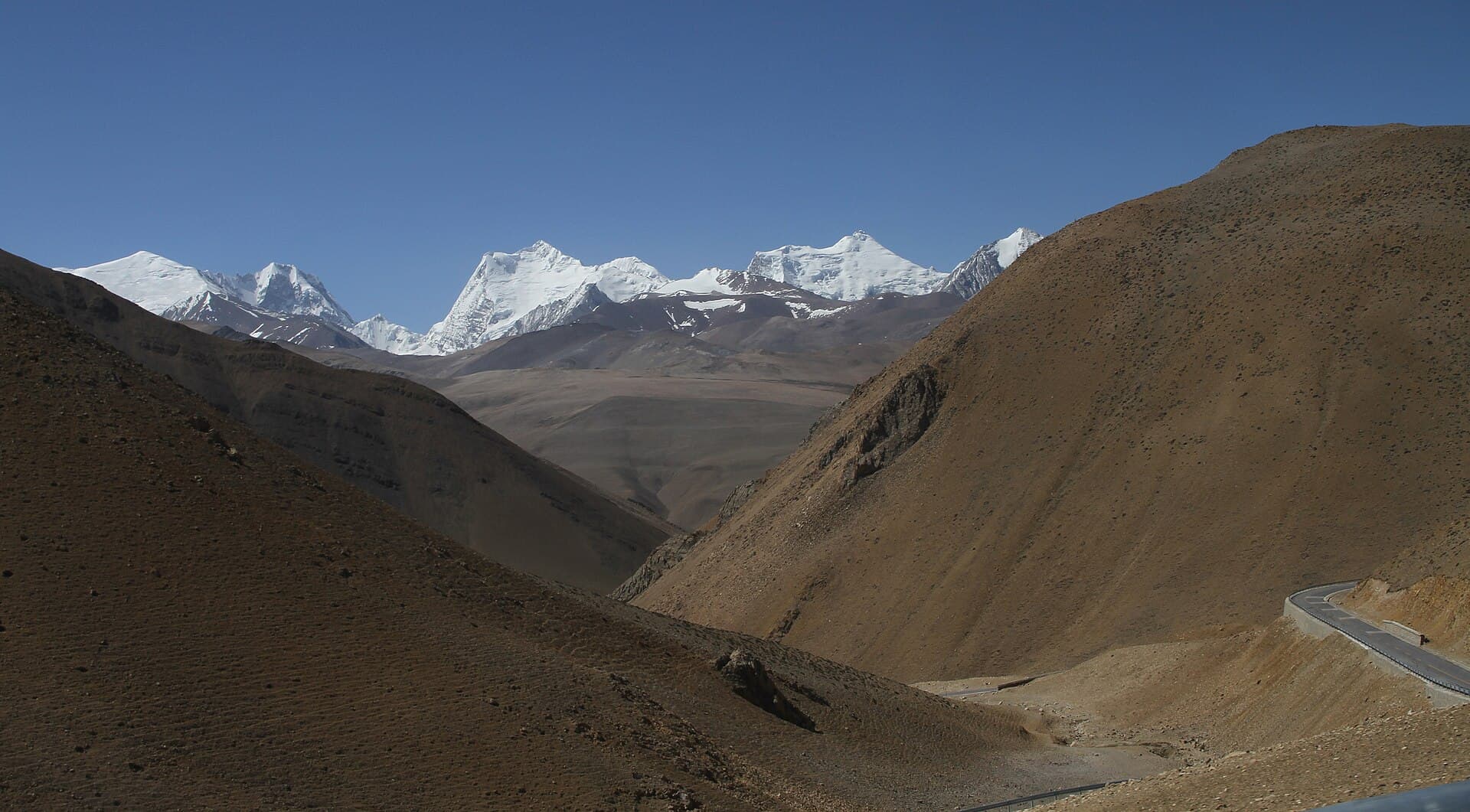
Le tableau change à mesure que vous vous enfoncez dans les zones reculées. Dans des lieux comme le camp de base de l’Everest, le mont Kailash et d’autres endroits élevés et isolés, la connectivité est limitée ou tout simplement indisponible. Ce n’est pas un défaut d’un hôtel en particulier ; c’est la réalité de l’infrastructure dans certains des terrains les plus reculés de la planète.
Notre conseil honnête : considérez les tronçons reculés de votre itinéraire comme du temps hors ligne. Prévenez votre famille et vos collègues à l’avance que vous pourriez être injoignable pendant un jour ou deux, et savourez la déconnexion plutôt que de lutter contre elle.
Cartes SIM : ce qu’il faut savoir
Les cartes SIM chinoises fonctionnent au Tibet, et en acheter une est un moyen simple d’obtenir des données mobiles. Quelques points essentiels :
- Où acheter : Les cartes SIM sont vendues dans les aéroports et dans les boutiques des opérateurs.
- Passeport requis : Acheter une carte SIM en Chine exige un enregistrement sous identité réelle avec votre passeport, et les boutiques des opérateurs incluent généralement une rapide étape de vérification faciale. Apportez votre passeport.
- Couverture : Pour l’ouest reculé, China Mobile et China Telecom tendent à avoir la meilleure couverture, ce qui en fait le choix pratique si vous vous aventurez au-delà des villes. China Unicom opère également dans la région.
Si vous préférez ne pas composer avec une carte SIM locale, l’itinérance internationale ou une eSIM sont des alternatives. Elles peuvent être pratiques et, dans certains cas, se comporter différemment vis-à-vis des services bloqués (voir ci-dessous), même si vous ne devriez jamais compter là-dessus comme sur une garantie.
La question des applications bloquées
C’est la partie qui prend les primo-visiteurs au dépourvu. La Chine restreint l’accès à toute une série de services internationaux largement utilisés. Au Tibet (comme dans le reste de la Chine continentale), vous constaterez généralement que les services suivants sont bloqués :
- Les services Google (Search, Gmail, Maps, Google Drive)
- Facebook et Instagram
- YouTube
- X (anciennement Twitter)
Ce n’est pas spécifique au Tibet, cela s’applique dans toute la Chine continentale, mais cela surprend ceux qui dépendent de ces outils au quotidien.
La question du VPN : préparez-vous avant d’arriver
De nombreux voyageurs utilisent un VPN pour accéder aux services bloqués. La chose la plus importante à comprendre est celle-ci : installez et configurez votre VPN avant d’arriver en Chine. Les sites web des fournisseurs de VPN et les fiches des magasins d’applications sont eux-mêmes souvent bloqués, ce qui signifie qu’en télécharger ou en configurer un après l’atterrissage peut être difficile, voire impossible.
Alors, avant de partir :
- Choisissez et installez une application VPN sur votre téléphone et votre ordinateur portable tant que vous êtes encore chez vous.
- Vérifiez qu’elle fonctionne.
- Notez d’éventuelles options de secours au cas où un service serait peu fiable.
Nous décrivons une pratique courante des voyageurs pour rester en contact avec les services que vous utilisez chez vous ; veuillez employer tout outil conformément aux règles locales applicables et à votre propre jugement.
Les applications qui fonctionnent sans VPN
Tout n’est pas bloqué. De nombreux services fonctionnent normalement, et certains sont véritablement utiles sur le terrain :
- WeChat est l’application de messagerie et de paiement dominante en Chine et fonctionne bien. De nombreux voyageurs l’installent pour rester en contact avec leurs guides et pour utiliser les paiements mobiles.
- Les applications locales de cartes et de navigation fonctionnent normalement.
- L’écosystème de paiement mobile (couvert dans notre guide sur les restrictions de voyage au Tibet) est pleinement fonctionnel.
Installer WeChat avant ou pendant votre voyage est l’une des démarches les plus pratiques que vous puissiez faire, il fait à la fois office de canal de communication et de moyen de paiement.
Rester joignable en cas d’urgence

Si la messagerie quotidienne peut attendre votre retour dans une zone couverte, il vaut la peine d’avoir un plan pour les véritables urgences dans les zones reculées. Quelques habitudes judicieuses :
- Partagez votre itinéraire avec quelqu’un chez vous avant de partir, y compris les dates approximatives où vous prévoyez d’être hors ligne.
- Restez avec votre guide. Lors d’un circuit agréé, votre guide est votre point de contact le plus fiable et connaît la situation locale, y compris l’endroit où le signal revient.
- Notez les coordonnées de votre voyagiste et gardez-les quelque part d’accessible, et pas seulement enfouies dans une application que vous ne pouvez pas ouvrir sans signal.
- Téléchargez des cartes hors ligne avant les étapes reculées afin de pouvoir vous repérer même sans connexion.
Parce que les visiteurs étrangers voyagent dans le cadre d’un circuit organisé avec un guide tout au long, vous ne parcourez jamais les tronçons reculés seul, ce qui est rassurant précisément là où la connectivité est la plus faible.
Une liste de vérification pratique avant le départ
| Tâche | Quand | Pourquoi |
|---|---|---|
| Installer un VPN | Avant de quitter la maison | Les sites des fournisseurs sont souvent bloqués en Chine |
| Installer WeChat | Avant ou à l’arrivée | Fonctionne sans VPN ; messagerie + paiements |
| Télécharger des cartes hors ligne | Avant les étapes reculées | Le signal chute dans les zones reculées |
| Prévenir la famille que vous serez peut-être hors ligne | Avant le voyage | Les zones reculées ont peu ou pas de couverture |
| Apporter votre passeport pour une SIM | À l’arrivée | L’enregistrement sous identité réelle est requis pour en acheter une |
Gérer les attentes
Le résumé réaliste : à Lhassa et dans les grandes villes, vous serez connecté et pourrez faire l’essentiel de ce dont vous avez besoin. Dans les parties élevées et reculées de votre périple, prévoyez d’être largement ou complètement hors ligne. Ces deux situations sont normales, et aucune ne devrait vous inquiéter si vous vous êtes préparé.
Pour de nombreux voyageurs, la déconnexion imposée dans des lieux comme le camp de base de l’Everest se révèle être un moment fort discret, une occasion rare d’être pleinement présent dans un paysage extraordinaire. Préparez vos outils avant de partir, posez des attentes auprès de vos proches restés à la maison, et vous trouverez le bon équilibre.
Quelques mots sur l’alimentation et les appareils
La connectivité n’est que la moitié de l’équation ; garder ses appareils chargés est l’autre moitié. Dans les hôtels de ville, la charge est simple, même si les prises peuvent différer de celles de votre pays, alors un adaptateur de voyage universel vaut la peine d’être emporté. Dans les maisons d’hôtes reculées et aux haltes de haute altitude, l’électricité peut être limitée ou intermittente, et vous risquez de partager un petit nombre de prises avec d’autres voyageurs.
La réponse pratique est une batterie externe, idéalement de grande capacité, chargée à fond chaque fois que vous disposez du secteur. Le froid vide aussi les batteries plus vite que d’habitude, alors gardez votre téléphone et votre batterie externe quelque part au chaud, une poche intérieure plutôt qu’un sac exposé, lorsque vous êtes dehors dans le froid en altitude.
Avec vos applications préparées, vos attentes posées et vos appareils maintenus chargés, la connectivité devient un non-problème plutôt qu’une source de stress.
Si vous avez des questions sur la connectivité sur un itinéraire précis, ou souhaitez savoir à quoi vous attendre jour après jour, contactez-nous ou parcourez nos circuits au Tibet pour les détails de chaque parcours.
Planifiez votre voyage au Tibet avec nous
Permis gérés, guides locaux, tarifs transparents. Indiquez-nous vos dates et nous vous enverrons un itinéraire sur mesure.
FAQ
Oui, dans les principales villes. La plupart des hôtels de Lhassa, Shigatsé et Nyingchi proposent le Wi-Fi. Dans les zones reculées comme le camp de base de l’Everest et le mont Kailash, la connectivité est limitée ou indisponible, alors prévoyez d’être hors ligne pour ces parties de votre voyage.